Email marketing for restaurants works best as a way to bring back guests who already know you. Search, social media and your Google profile find new diners. Email gives the ones who signed up a reason to come back: a new dish, an event night, a catering reminder. Start with a small opted-in list, set up your sending domain properly, follow the CAN-SPAM rules, and measure covers, not opens.
Most restaurant marketing is about being found. A guest searches "near me," scrolls TikTok or reads reviews, and picks a place. Email does a different job. It goes only to guests who already gave you their address, so it is one of the few channels you own outright, with no algorithm deciding who sees your post.
That makes it a retention tool. Use it for news a past guest would want: a new special, a seasonal menu, a live music night, holiday catering, a second location opening. Use the other channels to find the first-time guest, and use email to turn that first visit into a second.
Your list is only as good as the permission behind it. Collect addresses where guests already interact with you:
Keep the promise small and specific: "new dishes and event nights, about twice a month" beats "join our newsletter."
Do not send bulk email from a personal Gmail or Outlook account. Use an email platform built for marketing sends, with templates, list management and automatic unsubscribe handling, and send from an address on your own domain, such as hello@yourrestaurant.com.
Then set up email authentication. Google's email sender guidelines require every sender to Gmail accounts to set up SPF or DKIM for their sending domain, and recommend setting up SPF, DKIM and DMARC. Senders of more than 5,000 messages a day to Gmail accounts must use all three, keep spam rates reported in Google Postmaster Tools below 0.3%, and support one-click unsubscribe with a clearly visible unsubscribe link in marketing messages.
Your email platform will give you the DNS records to add. Whoever manages your website or domain can enter them.
The federal CAN-SPAM Act sets the rules for commercial email. The FTC's guide, The CAN-SPAM Act: Requirements for Commercial Emailers, lists the main requirements:
The same guide explains that transactional or relationship messages, such as a reservation confirmation, are exempt from most of these provisions, but may not contain false or misleading routing information. A "Friday specials" email is commercial.
Text messages follow different rules. The FCC says its rules ban autodialed texts to a mobile phone without the owner's prior consent, and that commercial texts require written consent. An email signup does not cover a phone number, so collect text consent separately, and check with a lawyer before you start texting promotions.
The emails that work have one clear reason to open and one clear next step. Good restaurant sends include:
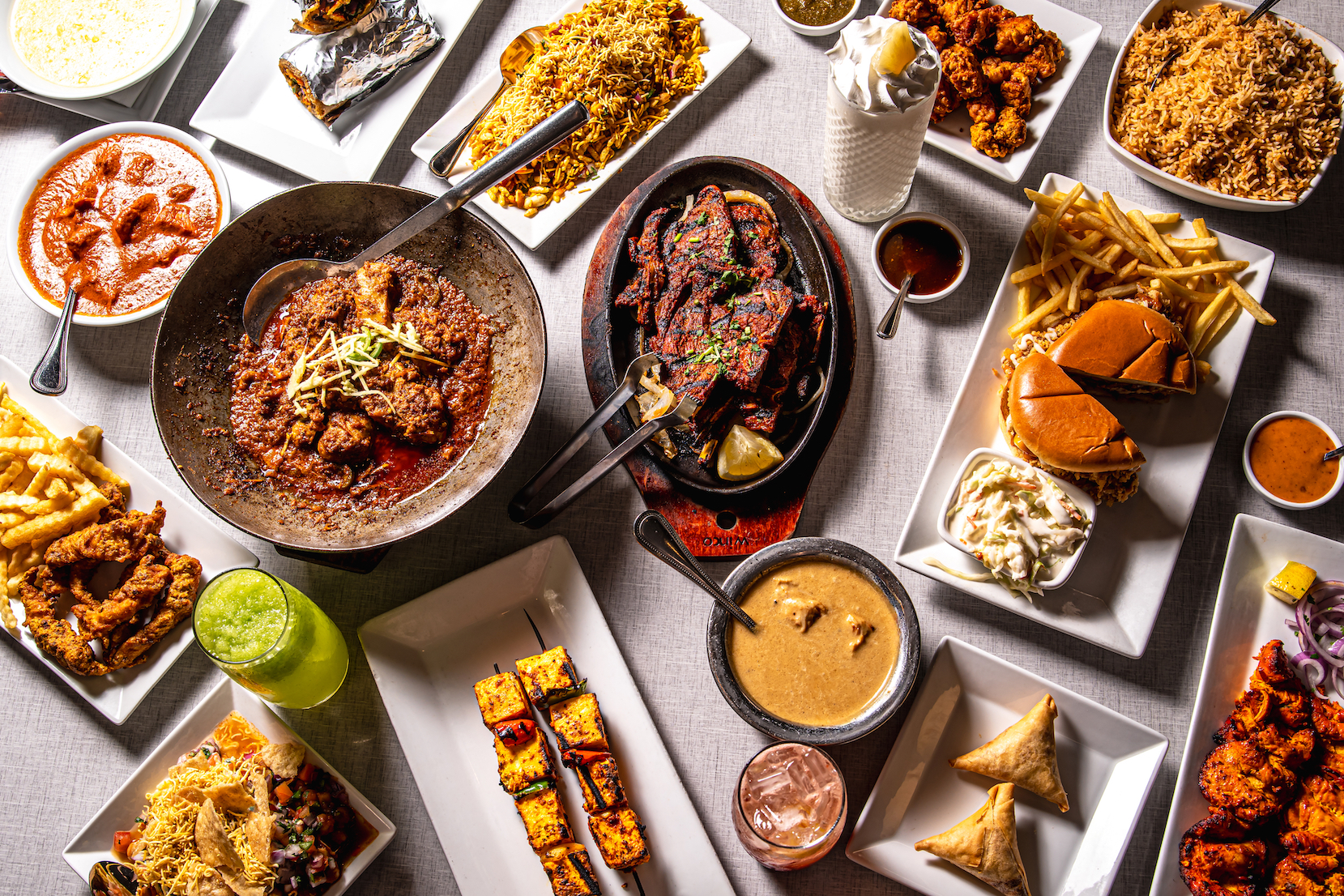
Reuse what you already make. The photos and short videos shot for your social media can carry an email just as well. When Minty helped Bundu Khan develop and promote new special menu items, the content was built around the dishes, which is exactly the kind of story a special-menu email carries.
Before every send, email yourself a test, open it on your phone and tap every link.
There is no single right number. Start with a pace you can keep up with good content, such as every week or every two weeks, then adjust based on what your guests book and order. Some starting points:
If bookings drop or unsubscribes climb when you send more, send less. Fewer, better emails beat a calendar you cannot fill.
Send while guests are still deciding where to eat. Minty applies the same idea to its restaurant ad campaigns, showing lunch ads around 11 AM and dinner ads around 4 PM, when people are hungry or planning meals. For email, that means late morning for lunch offers, mid-afternoon for dinner, and midweek for weekend plans. An email that lands at 7 PM on a Saturday arrives after most guests have already chosen.
A new restaurant can start building its list before the doors open. Minty's grand opening service follows a roadmap from 3 months before opening to 3 months after, including invite-only soft openings, creator nights and post-launch campaigns to turn opening visitors into regulars. A signup page shared during that pre-opening stretch gives you a list to invite to the soft opening and to keep in touch with afterward.
Opens are an unreliable measure, so track what guests do:
Track eight to ten sends before you judge the channel. Your own numbers are the only benchmark that matters.
Each channel has a job:
Fix the channels that find new guests first, especially your Google profile and website. Add email once you have a steady flow of guests to invite onto the list.
Minty is a hospitality-first marketing agency based in Houston, serving restaurants across Texas. The parts of an email program that connect to Minty's listed services are the restaurant website, with live menus and booking buttons where a signup box belongs, the photo and video content that fills each send, and the local search, review and social work that grows the guest list in the first place. For an overview of how a restaurant marketing agency works across Houston, Dallas, Austin and San Antonio, read our guide to choosing a restaurant marketing agency in Texas, or the Houston guide to restaurant marketing services in Houston.
Collect it anyway. The FTC's CAN-SPAM guide requires every commercial email to be identified as an advertisement, include an opt-out and show your postal address, and a list of guests who asked to hear from you gets fewer complaints and better results. Texts are stricter: the FCC says commercial texts require written consent.
Google requires every sender to Gmail accounts to set up SPF or DKIM, and requires all three for senders of more than 5,000 messages a day. Google recommends setting up all three regardless. Your email platform provides the records to add to your domain.
Under CAN-SPAM, within 10 business days. Your opt-out link or reply address must also keep working for at least 30 days after each send.
Usually not. The FTC treats messages that facilitate an agreed transaction or update a customer in an existing relationship as transactional or relationship messages, which are exempt from most CAN-SPAM provisions. A specials or event email is commercial.
Track bookings, online orders and code redemptions from each send, ask guests at the host stand, and compare covers after a send with a normal week. Judge the channel after eight to ten sends, not one.
